# Getting Started
## Create an API key and get started [#create-an-api-key-and-get-started]
### Sign up in Quba [#sign-up-in-quba]
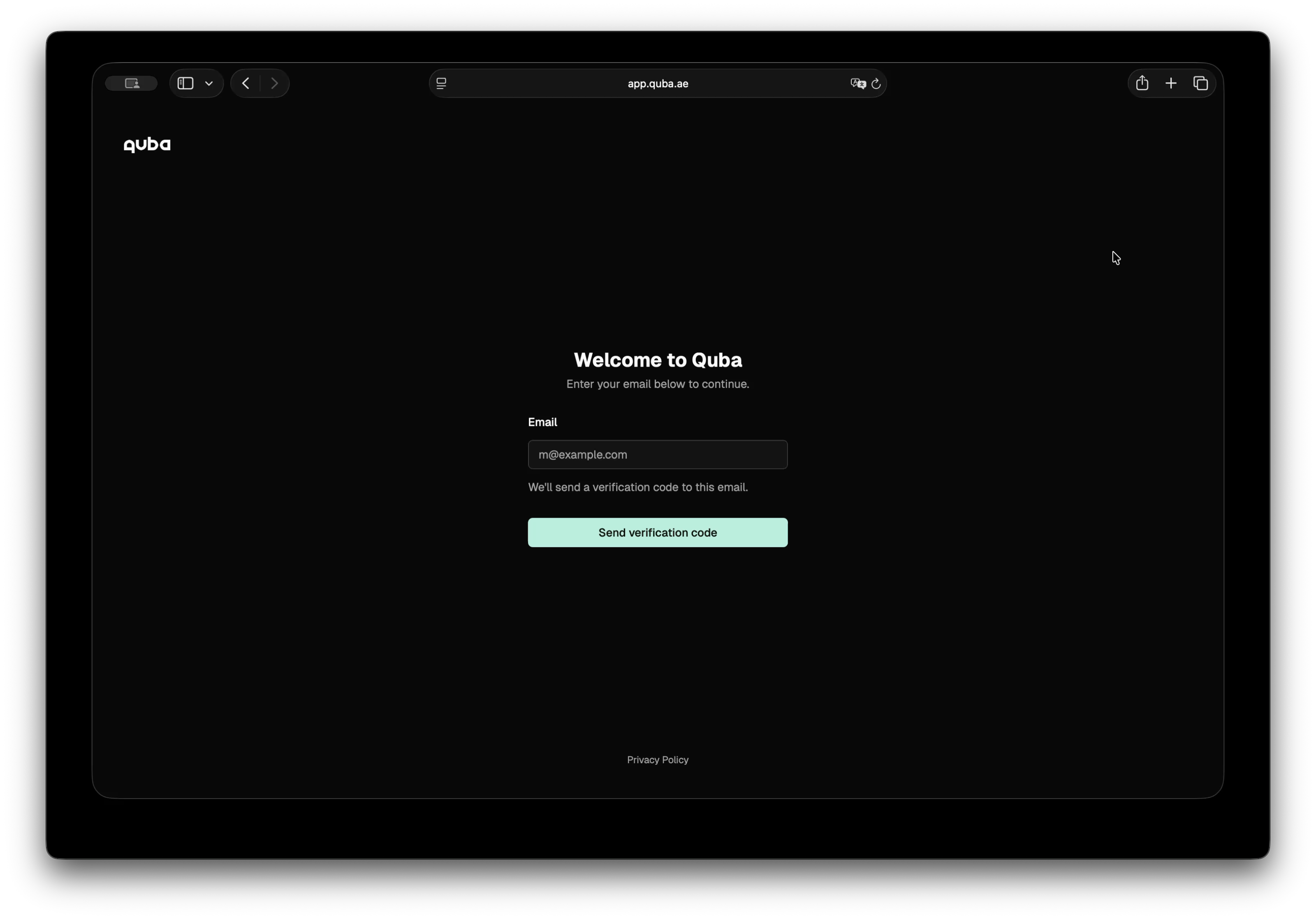
In the [sign-up page](/login), enter your email and you will receive a code. Enter the code received, click verification, and you are in!
### Preview text scan and anonymization in Quba [#preview-text-scan-and-anonymization-in-quba]
Once you are in, you land directly in the playground, where you can type your data and choose whether to scan it or anonymize it with different rules and entities.
### Create your API key [#create-your-api-key]
1. Go to **API Keys** and click **Create API key**
2. Set a name and expiration date for your API key
3. Copy your API key
Now you are ready to integrate with Quba.
## SDK Installation [#sdk-installation]
```bash
npm install @quba/sensitive-data-protection --save
```
```bash
pip install quba-sensitive-data-protection
# or with uv:
uv add quba-sensitive-data-protection
```
This example walks through a complete flow: scanning a text for sensitive entities, or anonymizing it using per-entity rules.
### The Input [#the-input]
```typescript
const text = `
Patient John Smith (SSN: 123-45-6789) was admitted to Dubai General Hospital
on 2024-01-15. Contact: john.smith@email.com, +971-50-123-4567.
Assigned physician: Dr. Sarah Al Mansoori (ID: EMP-00421).
`
```
```python
text = """
Patient John Smith (SSN: 123-45-6789) was admitted to Dubai General Hospital
on 2024-01-15. Contact: john.smith@email.com, +971-50-123-4567.
Assigned physician: Dr. Sarah Al Mansoori (ID: EMP-00421).
"""
```
## Scan [#scan]
Scan your text and discrover what sensitive entities it contains.
```typescript
import {
Configuration,
SensitiveDataProtectionApi,
} from "@quba/sensitive-data-protection"
// Pass your API key on every request via the x-api-key header.
const api = new SensitiveDataProtectionApi(
new Configuration({ headers: { "x-api-key": "quba_..." } }),
)
const scan = await api.scanText({
text, // text to scan
language: "en",
entities: ["person", "email", "phone_number", "address", "government_id"],
confidence_threshold: 0.5,
})
console.log(scan.results)
// [
// { start: 11, end: 21, score: 0.95, entity_type: "person" }, // John Smith
// { start: 24, end: 35, score: 0.99, entity_type: "government_id" }, // 123-45-6789
// { start: 53, end: 74, score: 0.91, entity_type: "address" }, // Dubai General Hospital
// { start: 93, end: 117, score: 0.98, entity_type: "email" }, // john.smith@email.com
// { start: 119, end: 134, score: 0.97, entity_type: "phone_number" }, // +971-50-123-4567
// { start: 158, end: 178, score: 0.93, entity_type: "person" }, // Dr. Sarah Al Mansoori
// { start: 184, end: 193, score: 0.99, entity_type: "government_id" }, // EMP-00421
// ]
```
```python
from quba_sdp import Client, models
from quba_sdp.api import scan_text
# base_url defaults to the production API; pass your key via headers.
client = Client(headers={"x-api-key": "quba_..."})
scan = scan_text.sync(
client=client,
body=models.ScanRequestBody(
text=text, # text to scan
language="en",
entities=["person", "email", "phone_number", "address", "government_id"],
confidence_threshold=0.5,
),
)
print(scan.results)
# [
# ScanResult(start=11, end=21, score=0.95, entity_type="person"), # John Smith
# ScanResult(start=24, end=35, score=0.99, entity_type="government_id"), # 123-45-6789
# ScanResult(start=53, end=74, score=0.91, entity_type="address"), # Dubai General Hospital
# ScanResult(start=93, end=117, score=0.98, entity_type="email"), # john.smith@email.com
# ScanResult(start=119, end=134, score=0.97, entity_type="phone_number"), # +971-50-123-4567
# ScanResult(start=158, end=178, score=0.93, entity_type="person"), # Dr. Sarah Al Mansoori
# ScanResult(start=184, end=193, score=0.99, entity_type="government_id"), # EMP-00421
# ]
```
## Anonymize [#anonymize]
Apply a rule per entity type. Different fields get different treatment depending on how the output will be used.
```typescript
const response = await api.anonymizeText({
text, // text to scan and anonymize
rules: [
{
type: "replace",
entities: [{ type: "model", value: "person" }],
replacement: "[PERSON]",
},
{
type: "mask",
entities: [{ type: "regex", value: "\\d{3}-\\d{2}-\\d{4}" }],
masking_char: "*",
chars_to_mask: 7,
from_end: true,
},
{
type: "redact",
entities: [{ type: "model", value: "address" }],
},
{
type: "sha256",
entities: [{ type: "model", value: "email" }],
},
{
type: "mask",
entities: [{ type: "model", value: "phone_number" }],
chars_to_mask: 8,
from_end: true,
},
{
type: "replace",
entities: [{ type: "regex", value: "EMP-\\d+" }],
replacement: "[EMP-ID]",
},
],
})
```
```python
from quba_sdp.api import anonymize_text
response = anonymize_text.sync(
client=client,
body=models.AnonymizeRequestBody(
text=text, # text to scan and anonymize
rules=[
models.ReplaceRule(
entities=[models.ModelEntity(value="person")],
replacement="[PERSON]",
),
models.MaskRule(
entities=[models.RegexEntity(value=r"\d{3}-\d{2}-\d{4}")],
masking_char="*",
chars_to_mask=7,
from_end=True,
),
models.RedactRule(entities=[models.ModelEntity(value="address")]),
models.SHA256Rule(entities=[models.ModelEntity(value="email")]),
models.MaskRule(
entities=[models.ModelEntity(value="phone_number")],
chars_to_mask=8,
from_end=True,
),
models.ReplaceRule(
entities=[models.RegexEntity(value=r"EMP-\d+")],
replacement="[EMP-ID]",
),
],
),
)
```
`response.text` is the anonymized string. `response.results` is the full audit trail — one record per transformation, with positions in both the original and anonymized text.
```typescript
console.log(response.text)
// Patient [PERSON] (SSN: ***-**-6789) was admitted to [REDACTED]
// on 2024-01-15. Contact: a1b2c3d4e5f6..., +971-50-***-****
// Assigned physician: [PERSON] (ID: [EMP-ID]).
console.log(response.results)
// [
// { type: "model", rule: "replace", value: "PERSON",
// input: { start: 11, end: 21, value: "John Smith" },
// output: { start: 11, end: 19, value: "[PERSON]" } },
//
// { type: "regex", rule: "mask", value: "\\d{3}-\\d{2}-\\d{4}",
// input: { start: 24, end: 35, value: "123-45-6789" },
// output: { start: 22, end: 33, value: "***-**-6789" } },
// ...
// ]
```
```python
print(response.text)
# Patient [PERSON] (SSN: ***-**-6789) was admitted to [REDACTED]
# on 2024-01-15. Contact: a1b2c3d4e5f6..., +971-50-***-****
# Assigned physician: [PERSON] (ID: [EMP-ID]).
print(response.results)
# [
# ModelResult(type="model", rule="replace", value="PERSON",
# input=TextRange(start=11, end=21, value="John Smith"),
# output=TextRange(start=11, end=19, value="[PERSON]")),
#
# RegexResult(type="regex", rule="mask", value="\\d{3}-\\d{2}-\\d{4}",
# input=TextRange(start=24, end=35, value="123-45-6789"),
# output=TextRange(start=22, end=33, value="***-**-6789")),
# ...
# ]
```
Use `input` offsets to map back to the original text. Use `output` offsets to highlight protected spans in the anonymized result.
## Error Handling [#error-handling]
```typescript
try {
const response = await api.scanText({ text: "" })
} catch (error) {
if (error.status === 422) {
console.error("Validation error:", error.detail)
}
}
```
```python
from quba_sdp.models import HTTPValidationError
# `sync` returns the parsed body, a documented error model, or None.
result = scan_text.sync(client=client, body=models.ScanRequestBody(text=""))
if isinstance(result, HTTPValidationError):
print("Validation error:", result.detail)
# Or use `sync_detailed` when you need the raw status code:
resp = scan_text.sync_detailed(client=client, body=models.ScanRequestBody(text=""))
print(resp.status_code) # 422
```
 ### Preview text scan and anonymization in Quba [#preview-text-scan-and-anonymization-in-quba]
Once you are in, you land directly in the playground, where you can type your data and choose whether to scan it or anonymize it with different rules and entities.
### Create your API key [#create-your-api-key]
1. Go to **API Keys** and click **Create API key**
2. Set a name and expiration date for your API key
3. Copy your API key
Now you are ready to integrate with Quba.
## SDK Installation [#sdk-installation]
```bash
npm install @quba/sensitive-data-protection --save
```
```bash
pip install quba-sensitive-data-protection
# or with uv:
uv add quba-sensitive-data-protection
```
This example walks through a complete flow: scanning a text for sensitive entities, or anonymizing it using per-entity rules.
### The Input [#the-input]
```typescript
const text = `
Patient John Smith (SSN: 123-45-6789) was admitted to Dubai General Hospital
on 2024-01-15. Contact: john.smith@email.com, +971-50-123-4567.
Assigned physician: Dr. Sarah Al Mansoori (ID: EMP-00421).
`
```
```python
text = """
Patient John Smith (SSN: 123-45-6789) was admitted to Dubai General Hospital
on 2024-01-15. Contact: john.smith@email.com, +971-50-123-4567.
Assigned physician: Dr. Sarah Al Mansoori (ID: EMP-00421).
"""
```
## Scan [#scan]
Scan your text and discrover what sensitive entities it contains.
```typescript
import {
Configuration,
SensitiveDataProtectionApi,
} from "@quba/sensitive-data-protection"
// Pass your API key on every request via the x-api-key header.
const api = new SensitiveDataProtectionApi(
new Configuration({ headers: { "x-api-key": "quba_..." } }),
)
const scan = await api.scanText({
text, // text to scan
language: "en",
entities: ["person", "email", "phone_number", "address", "government_id"],
confidence_threshold: 0.5,
})
console.log(scan.results)
// [
// { start: 11, end: 21, score: 0.95, entity_type: "person" }, // John Smith
// { start: 24, end: 35, score: 0.99, entity_type: "government_id" }, // 123-45-6789
// { start: 53, end: 74, score: 0.91, entity_type: "address" }, // Dubai General Hospital
// { start: 93, end: 117, score: 0.98, entity_type: "email" }, // john.smith@email.com
// { start: 119, end: 134, score: 0.97, entity_type: "phone_number" }, // +971-50-123-4567
// { start: 158, end: 178, score: 0.93, entity_type: "person" }, // Dr. Sarah Al Mansoori
// { start: 184, end: 193, score: 0.99, entity_type: "government_id" }, // EMP-00421
// ]
```
```python
from quba_sdp import Client, models
from quba_sdp.api import scan_text
# base_url defaults to the production API; pass your key via headers.
client = Client(headers={"x-api-key": "quba_..."})
scan = scan_text.sync(
client=client,
body=models.ScanRequestBody(
text=text, # text to scan
language="en",
entities=["person", "email", "phone_number", "address", "government_id"],
confidence_threshold=0.5,
),
)
print(scan.results)
# [
# ScanResult(start=11, end=21, score=0.95, entity_type="person"), # John Smith
# ScanResult(start=24, end=35, score=0.99, entity_type="government_id"), # 123-45-6789
# ScanResult(start=53, end=74, score=0.91, entity_type="address"), # Dubai General Hospital
# ScanResult(start=93, end=117, score=0.98, entity_type="email"), # john.smith@email.com
# ScanResult(start=119, end=134, score=0.97, entity_type="phone_number"), # +971-50-123-4567
# ScanResult(start=158, end=178, score=0.93, entity_type="person"), # Dr. Sarah Al Mansoori
# ScanResult(start=184, end=193, score=0.99, entity_type="government_id"), # EMP-00421
# ]
```
## Anonymize [#anonymize]
Apply a rule per entity type. Different fields get different treatment depending on how the output will be used.
```typescript
const response = await api.anonymizeText({
text, // text to scan and anonymize
rules: [
{
type: "replace",
entities: [{ type: "model", value: "person" }],
replacement: "[PERSON]",
},
{
type: "mask",
entities: [{ type: "regex", value: "\\d{3}-\\d{2}-\\d{4}" }],
masking_char: "*",
chars_to_mask: 7,
from_end: true,
},
{
type: "redact",
entities: [{ type: "model", value: "address" }],
},
{
type: "sha256",
entities: [{ type: "model", value: "email" }],
},
{
type: "mask",
entities: [{ type: "model", value: "phone_number" }],
chars_to_mask: 8,
from_end: true,
},
{
type: "replace",
entities: [{ type: "regex", value: "EMP-\\d+" }],
replacement: "[EMP-ID]",
},
],
})
```
```python
from quba_sdp.api import anonymize_text
response = anonymize_text.sync(
client=client,
body=models.AnonymizeRequestBody(
text=text, # text to scan and anonymize
rules=[
models.ReplaceRule(
entities=[models.ModelEntity(value="person")],
replacement="[PERSON]",
),
models.MaskRule(
entities=[models.RegexEntity(value=r"\d{3}-\d{2}-\d{4}")],
masking_char="*",
chars_to_mask=7,
from_end=True,
),
models.RedactRule(entities=[models.ModelEntity(value="address")]),
models.SHA256Rule(entities=[models.ModelEntity(value="email")]),
models.MaskRule(
entities=[models.ModelEntity(value="phone_number")],
chars_to_mask=8,
from_end=True,
),
models.ReplaceRule(
entities=[models.RegexEntity(value=r"EMP-\d+")],
replacement="[EMP-ID]",
),
],
),
)
```
`response.text` is the anonymized string. `response.results` is the full audit trail — one record per transformation, with positions in both the original and anonymized text.
```typescript
console.log(response.text)
// Patient [PERSON] (SSN: ***-**-6789) was admitted to [REDACTED]
// on 2024-01-15. Contact: a1b2c3d4e5f6..., +971-50-***-****
// Assigned physician: [PERSON] (ID: [EMP-ID]).
console.log(response.results)
// [
// { type: "model", rule: "replace", value: "PERSON",
// input: { start: 11, end: 21, value: "John Smith" },
// output: { start: 11, end: 19, value: "[PERSON]" } },
//
// { type: "regex", rule: "mask", value: "\\d{3}-\\d{2}-\\d{4}",
// input: { start: 24, end: 35, value: "123-45-6789" },
// output: { start: 22, end: 33, value: "***-**-6789" } },
// ...
// ]
```
```python
print(response.text)
# Patient [PERSON] (SSN: ***-**-6789) was admitted to [REDACTED]
# on 2024-01-15. Contact: a1b2c3d4e5f6..., +971-50-***-****
# Assigned physician: [PERSON] (ID: [EMP-ID]).
print(response.results)
# [
# ModelResult(type="model", rule="replace", value="PERSON",
# input=TextRange(start=11, end=21, value="John Smith"),
# output=TextRange(start=11, end=19, value="[PERSON]")),
#
# RegexResult(type="regex", rule="mask", value="\\d{3}-\\d{2}-\\d{4}",
# input=TextRange(start=24, end=35, value="123-45-6789"),
# output=TextRange(start=22, end=33, value="***-**-6789")),
# ...
# ]
```
Use `input` offsets to map back to the original text. Use `output` offsets to highlight protected spans in the anonymized result.
## Error Handling [#error-handling]
```typescript
try {
const response = await api.scanText({ text: "" })
} catch (error) {
if (error.status === 422) {
console.error("Validation error:", error.detail)
}
}
```
```python
from quba_sdp.models import HTTPValidationError
# `sync` returns the parsed body, a documented error model, or None.
result = scan_text.sync(client=client, body=models.ScanRequestBody(text=""))
if isinstance(result, HTTPValidationError):
print("Validation error:", result.detail)
# Or use `sync_detailed` when you need the raw status code:
resp = scan_text.sync_detailed(client=client, body=models.ScanRequestBody(text=""))
print(resp.status_code) # 422
```